
PropertyPolish Web Studio Is Here: Edit Listing Photos in Your Browser
PropertyPolish is now available on desktop and mobile web. See how the browser studio fits practical listing-photo workflows.
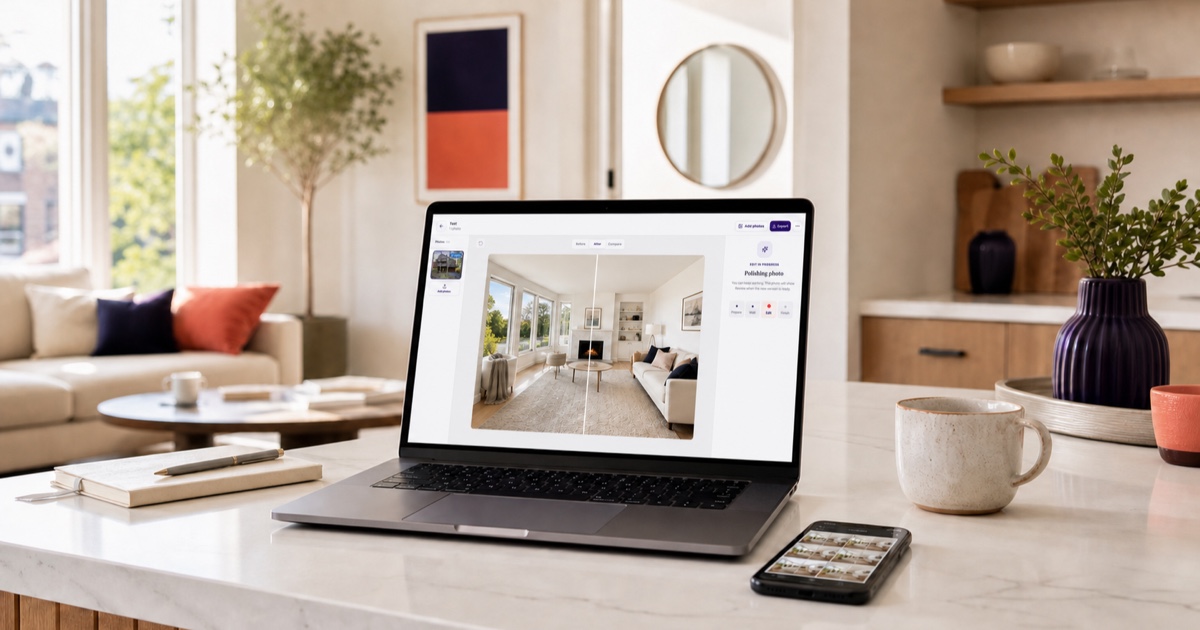
Property photo work does not always happen where the photo was taken. You may capture a rental on your phone, then want a larger screen when you review the full set, compare edits, and prepare files for a listing.
PropertyPolish now has a web studio at app.propertypolish.io. It works in desktop and mobile browsers, while the existing iPhone and iPad apps remain available for Apple-first workflows.
What you can do in the web studio
The web studio brings the core PropertyPolish workflow to the browser: add property photos, choose the edit each image needs, review the result, and export the finished set.
- Upload property photos from a computer or mobile browser.
- Polish lighting and color, clean temporary clutter, fix common distractions, or virtually stage an empty room.
- Switch between the original and edited image or use the comparison view before exporting.
- Keep a property's real walls, windows, fixtures, flooring, dimensions, and visible condition accurate.
When an image is virtually staged, label it clearly wherever it is published and keep the original available. The goal is to explain scale and use, not to make the property look like a different space.
How browser and Apple workflows differ
Web and Apple projects do not sync yet. If you start a project in the web studio, expect to finish that project on the web. Projects created in the iPhone or iPad app remain in the Apple app workflow.
| Option | Best for | Important detail |
|---|---|---|
| Web studio | Reviewing larger photo sets on a laptop or working from a mobile browser. | Web projects stay separate from Apple projects for now. |
| iPhone and iPad apps | Capturing, editing, and exporting while you are at a property or working from an Apple device. | Apple projects stay separate from web projects for now. |
A practical browser workflow
- Make a short shot list. Include the exterior, entry, living areas, kitchen, bedrooms, bathrooms, storage, parking, and outdoor space.
- Choose the useful photos first. Skip duplicates and reshoot images that are blurry, blocked, or missing important room context.
- Create one web project per property. This keeps the photo set together while web and Apple projects remain separate.
- Apply the lightest useful edit. Correct readability and temporary distractions without hiding defects or changing permanent property features.
- Review every comparison. Check walls, floors, windows, appliances, fixtures, room dimensions, and visible condition before export.
- Disclose virtual staging. Label staged images clearly and retain the original files.
- Export a consistent set. Confirm brightness, color, framing, and image order before uploading to the listing.
Which version should you use?
Use the web studio when a larger screen makes review easier, when photos are already on your computer, or when you need to work from a non-Apple device. Use the iPhone or iPad app when the job starts and finishes on your Apple device.
There is no need to force every listing into the same workflow. Pick one place for each project, keep the originals, and review the final set before it goes live.
Key takeaways
- PropertyPolish is now available in desktop and mobile browsers at app.propertypolish.io.
- The iPhone and iPad apps remain available.
- Web and Apple projects do not sync yet, so choose one workflow for each property.
- Keep edits true to the property and disclose virtual staging wherever the image is used.